Memory Solitaire1.7
Publisher Description
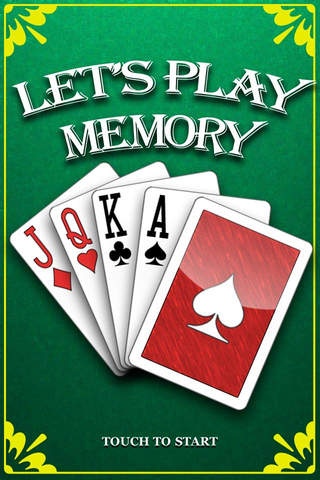
Memory Solitaire
243 combinations of play
Settings: Number of pairs, Number of cards, Match types, Colors, Flip delays
Stats tracking: Wins, Cards dealt, Cards flipped, Cards matched
HD retina display quality cards and backgrounds
Smooth animations
Background music and sound fx
iPod background music support
How to play instructions
Let's Play Cards DX (available separately)
Ads free
Full experience
More game modes, features and settings
More games such as Klondike, Monte Carlo, Memory, Pyramid, and Freecell
http://itunes.apple.com/us/app/lets-play-cards-dx/id407025366?mt=8&ign-mpt=uo%3D4
All feedback, suggestions and requests are welcome at http://www.letsplay-cards.com/forum. Thanks!
Requires iOS 4.1 or later. Compatible with iPhone, iPad, and iPod touch.
About Memory Solitaire
The company that develops Memory Solitaire is Vaugham Hong. The latest version released by its developer is 1.7.
To install Memory Solitaire on your iOS device, just click the green Continue To App button above to start the installation process. The app is listed on our website since 2010-12-29 and was downloaded 6 times. We have already checked if the download link is safe, however for your own protection we recommend that you scan the downloaded app with your antivirus. Your antivirus may detect the Memory Solitaire as malware if the download link is broken.
How to install Memory Solitaire on your iOS device:
- Click on the Continue To App button on our website. This will redirect you to the App Store.
- Once the Memory Solitaire is shown in the iTunes listing of your iOS device, you can start its download and installation. Tap on the GET button to the right of the app to start downloading it.
- If you are not logged-in the iOS appstore app, you'll be prompted for your your Apple ID and/or password.
- After Memory Solitaire is downloaded, you'll see an INSTALL button to the right. Tap on it to start the actual installation of the iOS app.
- Once installation is finished you can tap on the OPEN button to start it. Its icon will also be added to your device home screen.
